
Skip to Main Content (Press Enter)
I want to...

CONNECTED 
SERVICES

Download MyToyota app

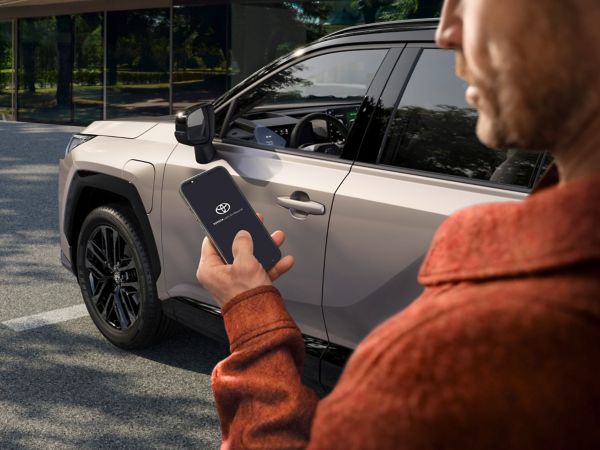
Scan the QR code, or tap the link below, and step into the full MyToyota experience.
Get the MyToyota app (Opens in new window)

FAQS

  1. All

Connected Services are a suite of smart features that integrate your car with your digital life, making driving more convenient, safer, and more enjoyable—whether you're behind the wheel or away from your vehicle. These services are powered by two key components:


Mobile App (MyToyota / Lexus Link+)
 

The mobile app acts as your remote control and digital dashboard:
 

  • Remote Access: Start/stop the engine, lock/unlock doors, and control climate system, doors, and hazard lights remotely
  • Vehicle Locator: Find your parked vehicle with ease
  • Journey Planning: Plan routes and send them directly to your vehicle’s navigation system
  • Maintenance & Health: Receive alerts when servicing is due and view vehicle health reports
  • Driving Data: Access fuel levels, mileage, and trip history
  • Notifications: Stay informed with real-time updates about your vehicle


 Multimedia System
 

The in-car multimedia system connects your smartphone and enhances your driving experience:
 

  • Smartphone Integration: Use apps like Spotify, WhatsApp, Audible, Google Maps, and Waze directly from your vehicle's display
  • Voice Control: Operate apps and navigation via Siri or Google Assistant
  • Navigation & Alerts: Get real-time traffic updates, speed camera alerts, and search for points of interest
  • Note: Features vary by model and region

You can access Connected Services at any time through the MyToyota app, but there are a few important conditions that affect how and when services and data appears:


When Connected Services work best:
 

  • Data Availability: Car data is sent to the app when the engine is turned off. You’ll be able to view your last trip details shortly after switching off the engine
  • Mobile Data Required: A stable mobile network is needed to transmit data. If you park underground or in areas with poor coverage, data may not sync immediately


Common reasons services might not work as expected or data might be missing
 

  • Connected Services not activated


Ensure Standard Services are enabled in the Connected Services Centre
 

  • Multimedia system profile not linked
  • Privacy Mode enabled - If location sharing is disabled, trip data won’t be saved. Check and enable location sharing in the Privacy Mode section under MyGarage. For more help, refer to the Privacy Mode FAQs in the app

Depending on the model of your car, you can disable location sharing (i.e. enable Privacy mode) either in your App or in the vehicle’s multimedia system under Settings ->Info & Security. You can verify the current status of Privacy Mode through your account in your App. 

Yes, Connected Services can be linked to multiple MyToyota accounts, allowing different family members to access vehicle information and multimedia features. However, only one account can have active control at a time through the app—this means features like remote access, trip data, and notifications will only work through the account currently activated for the vehicle.
 

To share access:
 

  • Each family member can create their own MyToyota account.
  • The primary user must activate Connected Services on their account.


If you want to switch the active account, you can do so through the Connected Services Centre section in the app

Steps to take before selling your Toyota

  • Cancel Connected Services Subscription


Open the MyToyota app and cancel any active Connected Services linked to the vehicle.

  • Remove the vehicle from your MyToyota account
  • Remove your User Profile from the Multimedia System
  • On the vehicle’s in-vehicle multimedia unit, delete your personal profile to clear saved preferences and trip data.


Keep Your MyToyota Account

  • Do not delete your account—you can use it again if you purchase another Toyota in the future.
  • Inform the new owner

Let the buyer know that the vehicle is equipped with Connected Services and that they can activate their own account to enjoy the features